
AI assistant
Debts, planning, moving lessons — by text or voice.
Who owes me?
Alice Parker — $2,100 for September. Three lessons unpaid: Sep 14, 16 and 18.
“Book Anna a lesson on Tuesday”
Done — Anna’s lesson is set for Tuesday.
Schedule Lesson · for private tutors
Your next lesson — always in sight.
Schedule Lesson keeps track for you: who comes when, how many lessons are left in each lesson pack, who hasn’t paid yet and how much you’ve earned this month.
Coming soon to the App Store

For iPhone · iOS 17+ · Privacy
Wait — has Mark paid for October yet?
How many lessons are left in Sophia’s lesson pack?
How much did I actually earn this month?
Schedule Lesson answers in a second.
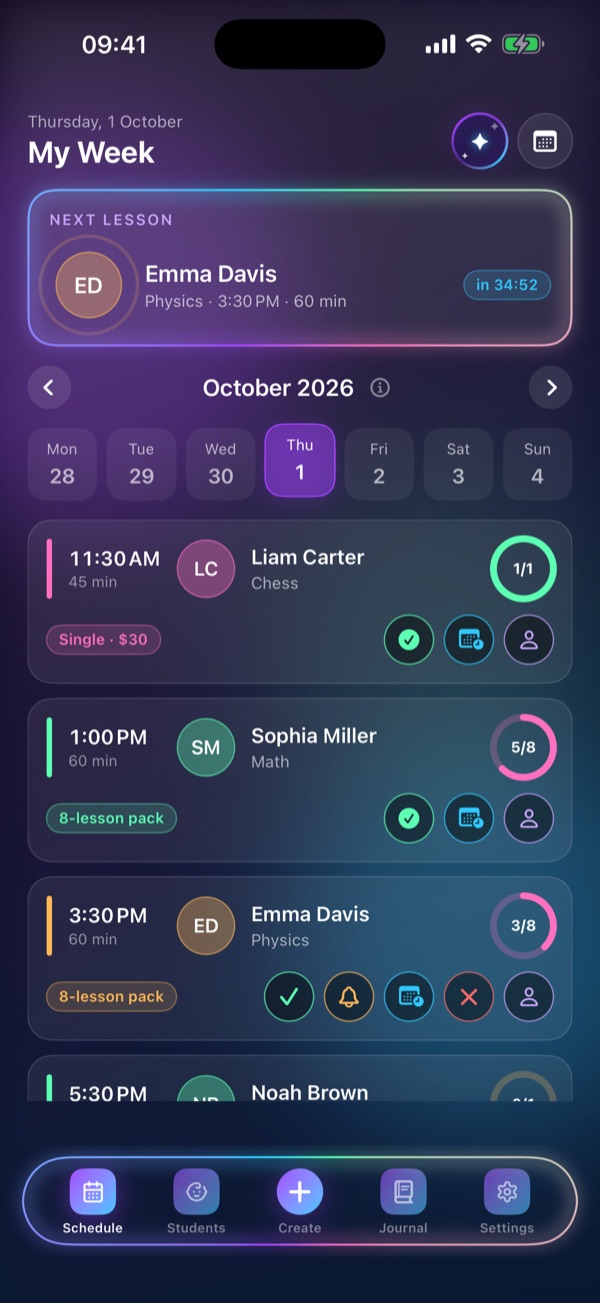
Home screen
Everything you need before a lesson — on one screen.
Who, what and when — with a live countdown: “in 42:51”.
One tap and you’re on the right day.
How many lessons are left — no counting required.
Time, student, subject, payment type. Taught it? Check it off with one tap.
Screens
Seven screens — from your schedule to payment reminders. Screenshots show demo data.
Your week, next lesson and check-offs
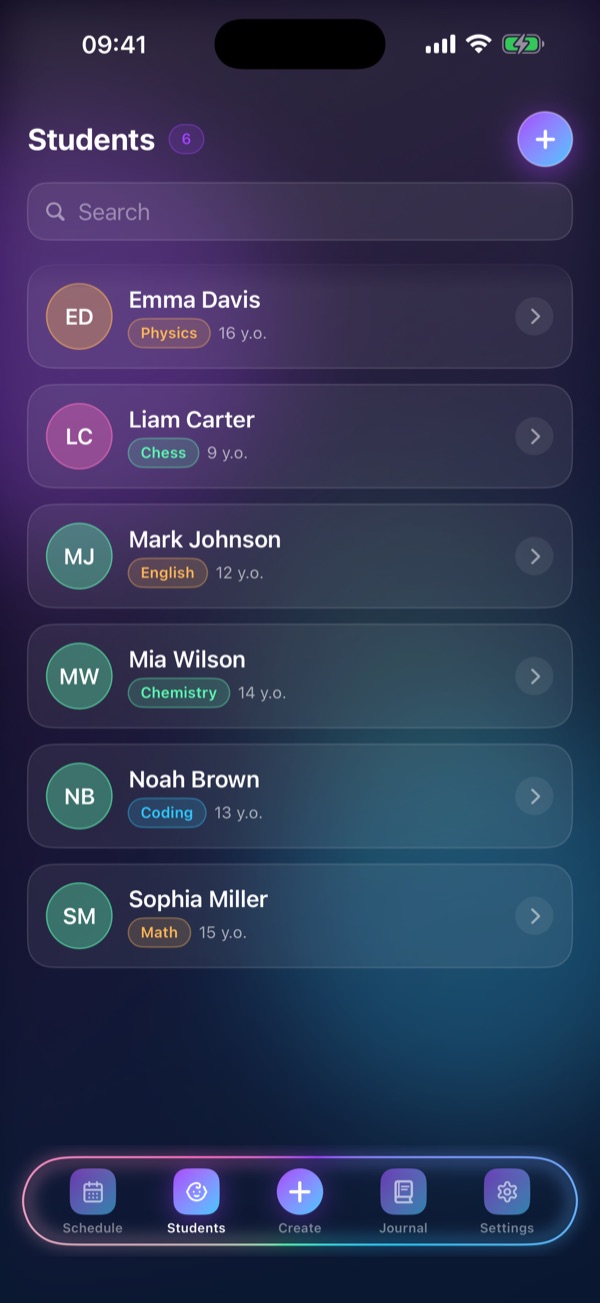
All your students and their subjects
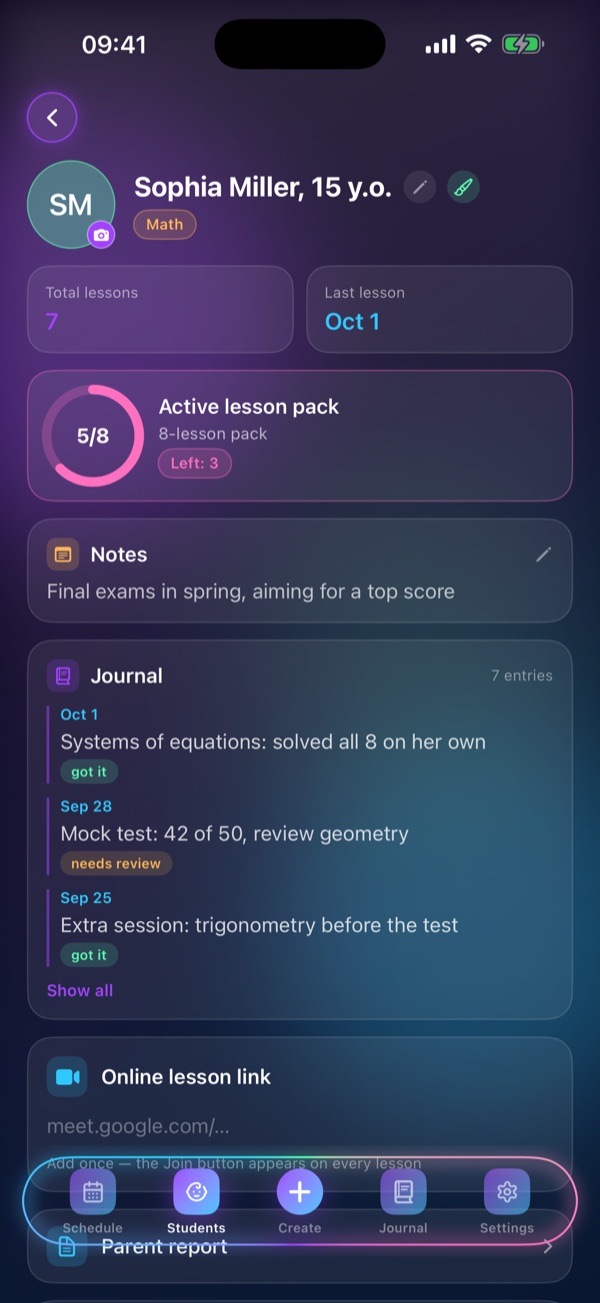
Lesson pack, notes, journal
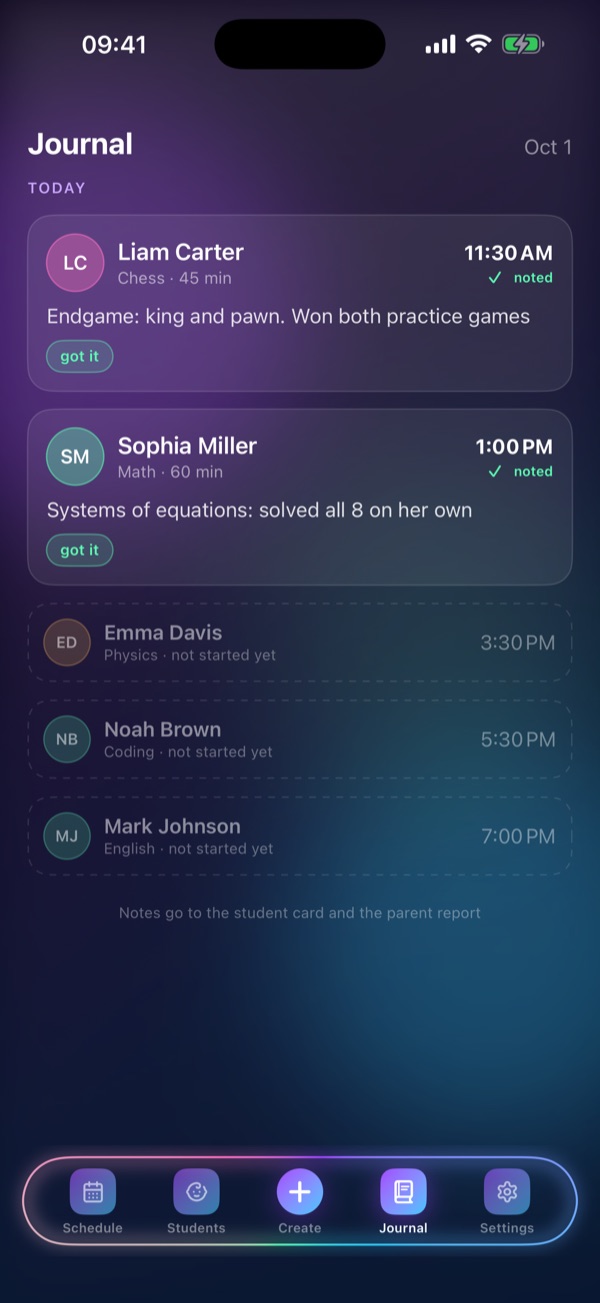
A record of every lesson
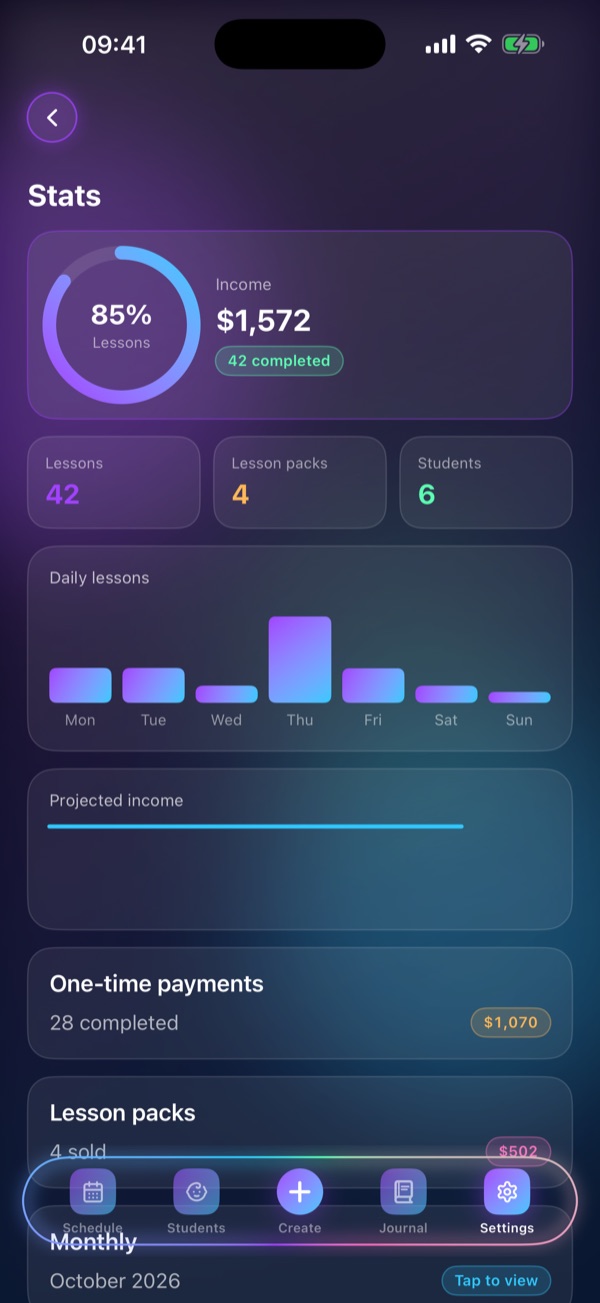
Income, attendance, forecast
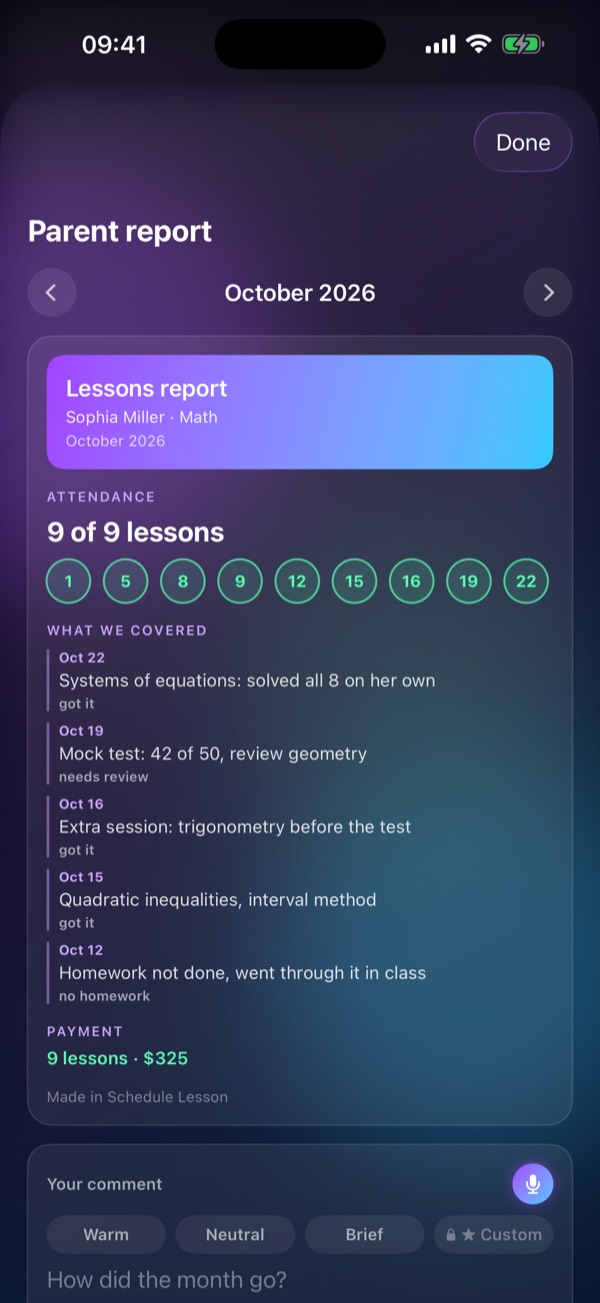
Attendance, topics, payment
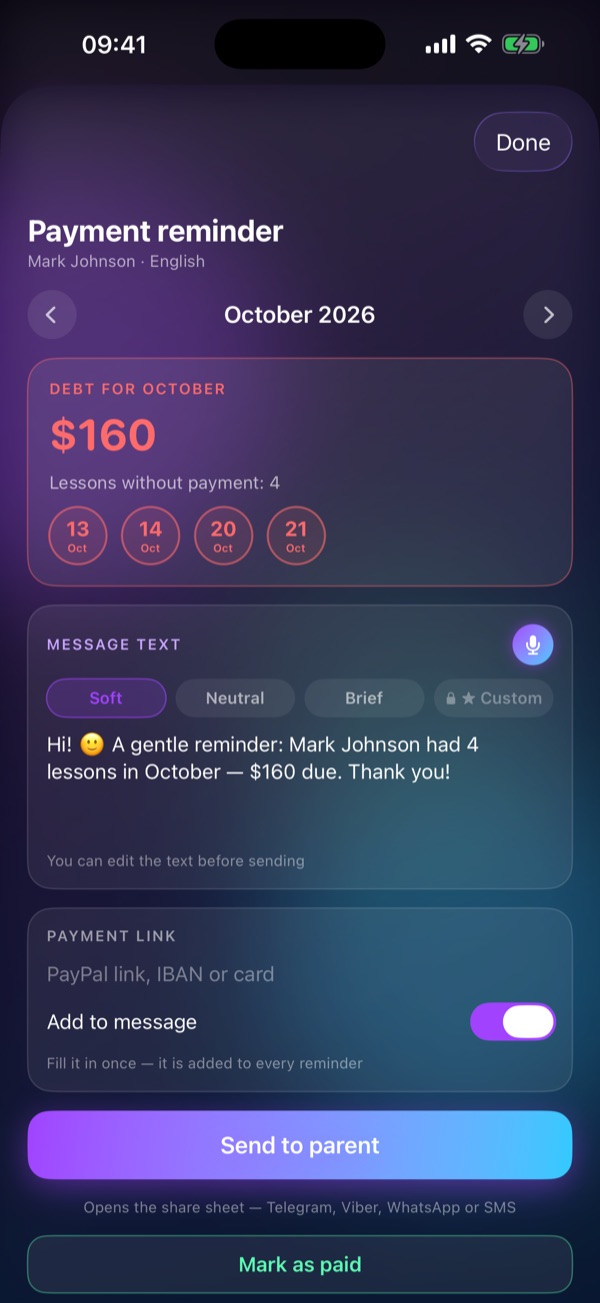
The month’s debt and a ready message
Schedule Lesson Pro
The free version covers up to three students. Pro removes the limits and adds the assistant, statistics, reports and everything that lives outside the app.
Debts, planning, moving lessons — by text or voice.
Who owes me?
Alice Parker — $2,100 for September. Three lessons unpaid: Sep 14, 16 and 18.
“Book Anna a lesson on Tuesday”
Done — Anna’s lesson is set for Tuesday.
A live timer in the Dynamic Island and one-tap check-off.
Income, charts, monthly trends and an income forecast.
Your schedule right on the Home Screen.
Attendance, what you covered, payment and your comment — in one tap.
Next lesson and check-off, straight from your wrist.
Schedule Lesson in Siri and Shortcuts.
Missed lessons, lost income and how reliable each student is.
As many students and lesson packs as you need.
The lesson pack counts itself: 5 of 8 becomes 6 of 8.
No spreadsheets, no notes in the margins.
Pricing
$0
No time limit
$6.99per month
or$24.99per year
7-day free trial on the yearly plan
The App Store shows prices in your local currency.
Cancel anytime in iPhone Settings → your name → Subscriptions.
FAQ
Coming soon to the App Store, for iPhone with iOS 17 or later. Once it’s out, the buttons on this page will take you straight there.
On the App Store, for iPhone with iOS 17 or later — just search for “Schedule Lesson”. Availability depends on your App Store country or region.
For now, it’s iPhone only.
In your own cloud account, fully synced. New iPhone or a reinstall — just sign in and everything is there. Only you can see your data. Sign in with email, Apple or Google.
Ukrainian, English, Russian, Polish, German, French, Spanish and Italian.
No. The free version covers up to 3 students, 1 lesson-pack template, the schedule with one-tap check-off and the lesson journal — with no time limit.
Anytime, in iPhone Settings → your name → Subscriptions. Pro is $6.99 a month or $24.99 a year (the yearly plan includes a 7-day free trial); the App Store shows the price in your currency.
Any iPhone running iOS 17 or later.
Email us at supportschedulelesson@gmail.com — we’ll get back to you.
Coming soon to the App Store.Now on the App Store.
For iPhone · iOS 17+

For iPhone · iOS 17+